Windows
Collect system metrics from Windows hosts using the windows_exporter: CPU, memory, disk, network.
Dashboards
Windows Overview
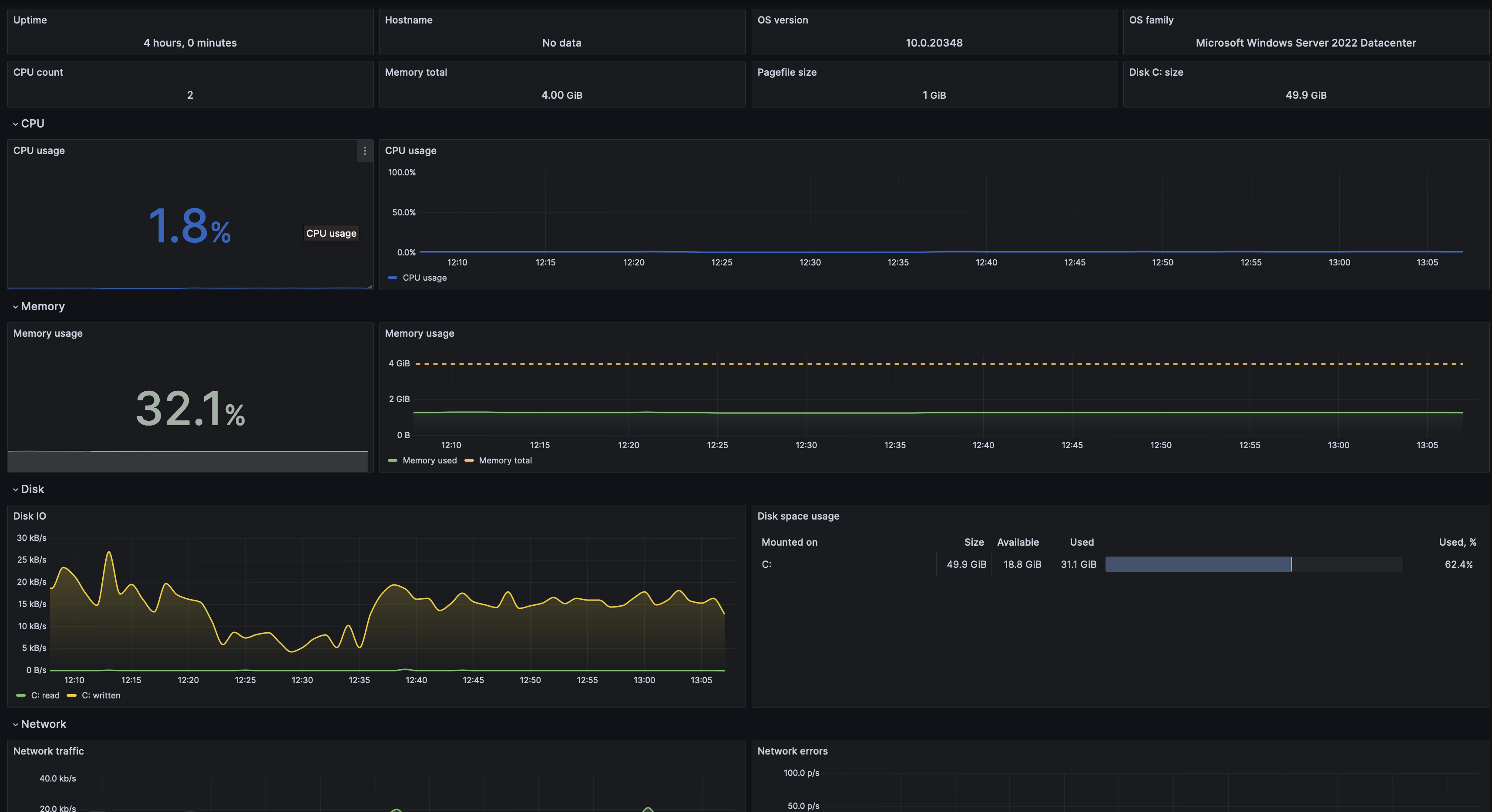
Windows Fleet
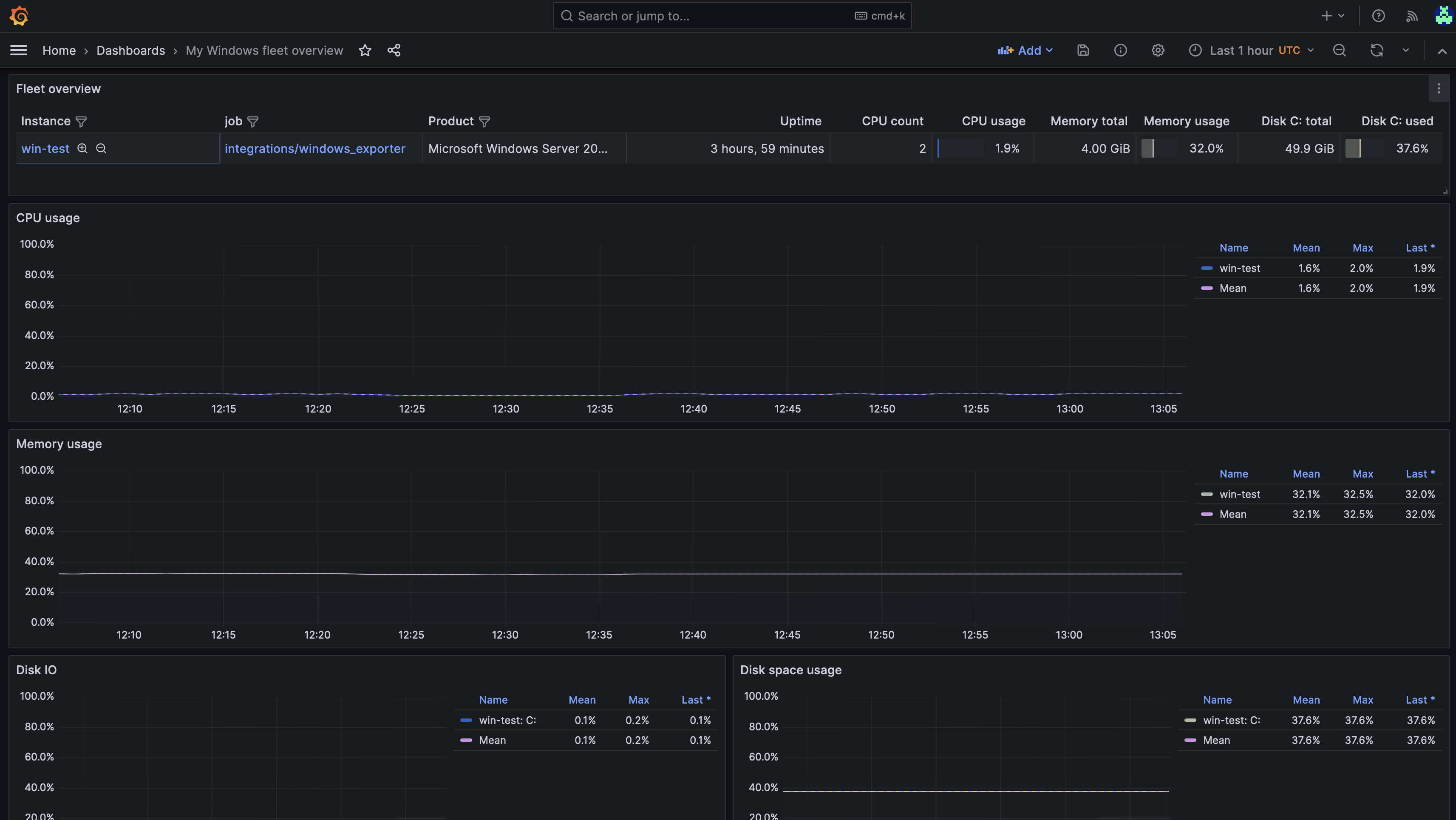
Key metrics
| Metric | Description |
|---|---|
windows_cpu_time_total | CPU time by mode (user, kernel, idle) |
windows_memory_available_bytes | Available physical memory |
windows_logical_disk_free_bytes | Free disk space per volume |
windows_net_bytes_total | Network bytes sent/received |
windows_os_processes | Number of running processes |
windows_service_state | Windows service state |
Prerequisites
- Windows Server 2016+ or Windows 10+
- Prometheus or Grafana Alloy with network access to the host
- xScaler tenant credentials
Configuration
Option A: Prometheus Exporter
Install windows_exporter
Download and run the MSI from the releases page:
msiexec /i windows_exporter-x.x.x-amd64.msi
The exporter runs as a Windows service on port 9182.
Scrape config
scrape_configs:
  - job_name: windows
    static_configs:
      - targets: ['<host>:9182']

remote_write:
  - url: https://<region>.xscalerlabs.com/api/v1/push
    headers:
      X-Scope-OrgID: <tenant-id>
    basic_auth:
      password: <api-token>
Option B: Grafana Alloy
prometheus.exporter.windows "default" { }

prometheus.scrape "windows" {
  targets    = prometheus.exporter.windows.default.targets
  forward_to = [prometheus.remote_write.xscaler.receiver]
}

prometheus.remote_write "xscaler" {
  endpoint {
    url = "https://<region>.xscalerlabs.com/api/v1/push"
    headers = { "X-Scope-OrgID" = "<tenant-id>" }
    basic_auth { password = "<api-token>" }
  }
}
Option C: OpenTelemetry Collector
receivers:
  hostmetrics:
    collection_interval: 60s
    scrapers:
      cpu:
      disk:
      filesystem:
      memory:
      network:
      process:

exporters:
  prometheusremotewrite:
    endpoint: https://<region>.xscalerlabs.com/api/v1/push
    headers:
      Authorization: Bearer <api-token>
      X-Scope-OrgID: <tenant-id>

service:
  pipelines:
    metrics:
      receivers: [hostmetrics]
      exporters: [prometheusremotewrite]
Logs
Collect Windows Event Log (Application, System, Security channels). Add the following to your Alloy config:
loki.source.windowseventlog "windows_eventlog" {
  eventlog_name    = "Application"
  forward_to       = [loki.write.xscaler.receiver]
  labels = {
    job      = "integrations/windows",
    instance = constants.hostname,
  }
}

// Repeat for "System" and "Security" channels as needed.

loki.write "xscaler" {
  endpoint {
    url = "https://euw1-01.l.xscalerlabs.com/api/v1/push"

    http_client_config {
      authorization {
        type        = "Bearer"
        credentials = env("XSCALER_TOKEN")
      }
    }

    headers = { "X-Scope-OrgID" = env("XSCALER_TENANT_ID") }
  }
}